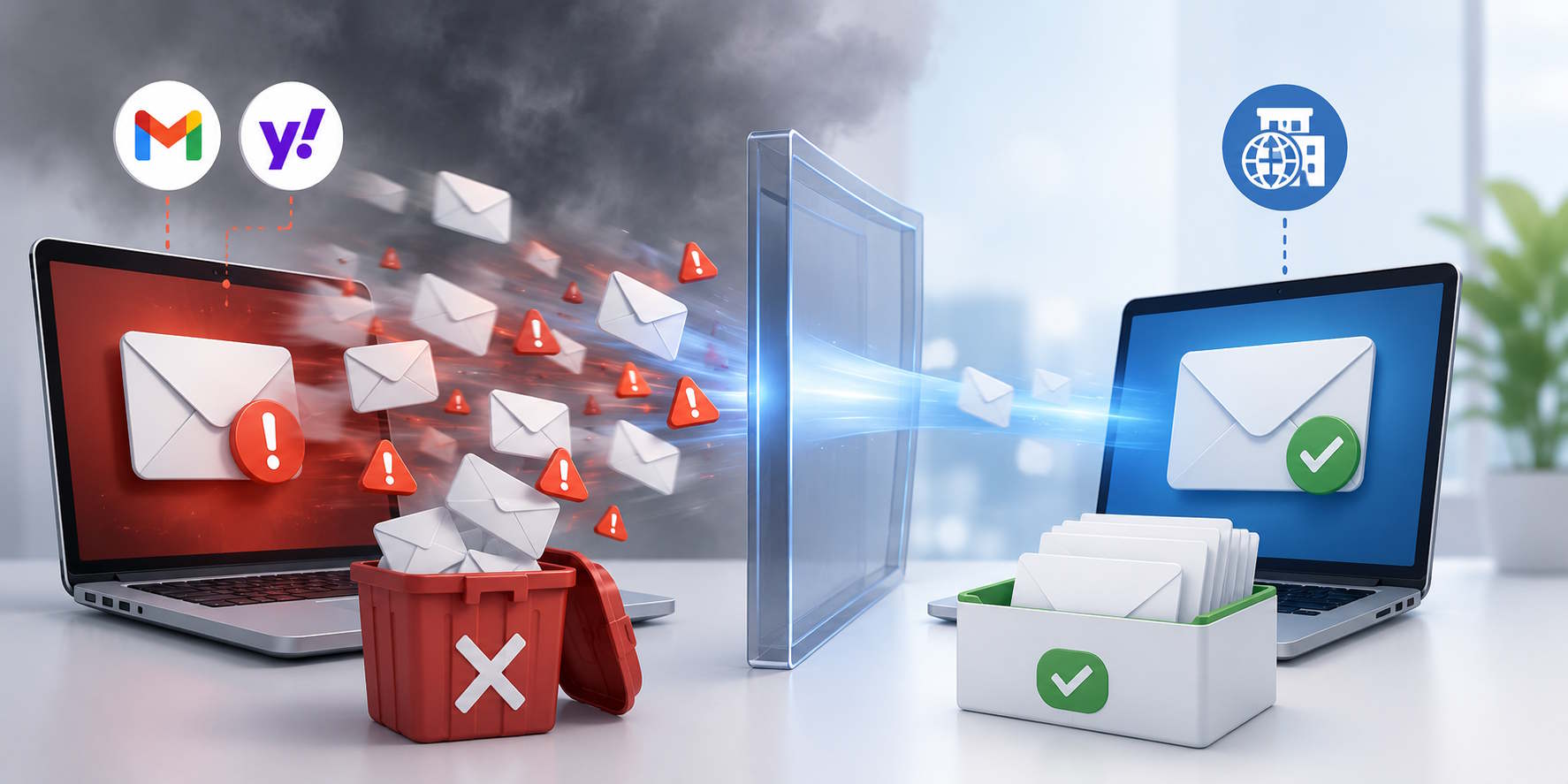
Why Mass Emails Sent via Gmail or Yahoo Accounts Land in Spam Folders
The Hidden Reason Your Email Campaigns Never Reach the Inbox
Many small businesses and sales teams begin email outreach using personal email providers such as Gmail or Yahoo. At first, it seems convenient, free, and easy. However, once businesses start sending bulk emails from these accounts, they often encounter a frustrating reality:
Many emails end up in spam folders, promotions tabs, or are blocked entirely.
If your email open rates are low, replies are rare, and prospects never seem to receive your messages, the problem may not be your offer – it may be your email infrastructure.
In this article, we’ll explain why mass emails sent from Gmail or Yahoo accounts often land in spam folders, Google’s latest bulk sender requirements, the importance of SPF and DKIM authentication, and why marketing automation with AI-powered personalization delivers better results than traditional email blasts.
Why Gmail and Yahoo Are Poor Choices for Bulk Email Marketing
Personal email services such as Gmail and Yahoo were designed primarily for person-to-person communication.
Typical use cases include:
- Sending emails to friends and family
- Communicating with coworkers
- Managing personal correspondence
They were not designed for sending hundreds or thousands of marketing, sales, or cold outreach emails.
When email providers detect behavior that resembles mass mailing, they become cautious.
Common spam signals include:
- Sending identical emails to large numbers of recipients
- Sudden spikes in sending volume
- Low engagement rates
- High bounce rates
- Recipients marking emails as spam
As a result, mailbox providers may throttle delivery, place emails in spam folders, or block messages altogether.
Google’s New Bulk Sender Requirements Make Authentication Essential
In 2024, Google introduced stricter requirements for bulk email senders.
According to Google’s Email Sender Guidelines:
“Senders who send 5,000 or more messages per day to Gmail accounts must set up SPF or DKIM email authentication for their domain.”
Google also requires bulk senders to:
- Authenticate email using SPF and DKIM
- Publish a DMARC policy
- Keep spam complaint rates low
- Provide one-click unsubscribe functionality
- Maintain a positive sender reputation
Source: Google Email Sender Guidelines
https://support.google.com/mail/answer/81126
Google further states:
“Email authentication helps protect recipients from spam and phishing.”
Businesses sending bulk emails from addresses such as:
have limited control over authentication and sender reputation compared to businesses using their own domains.
Without proper authentication and domain ownership, inbox placement becomes increasingly difficult.
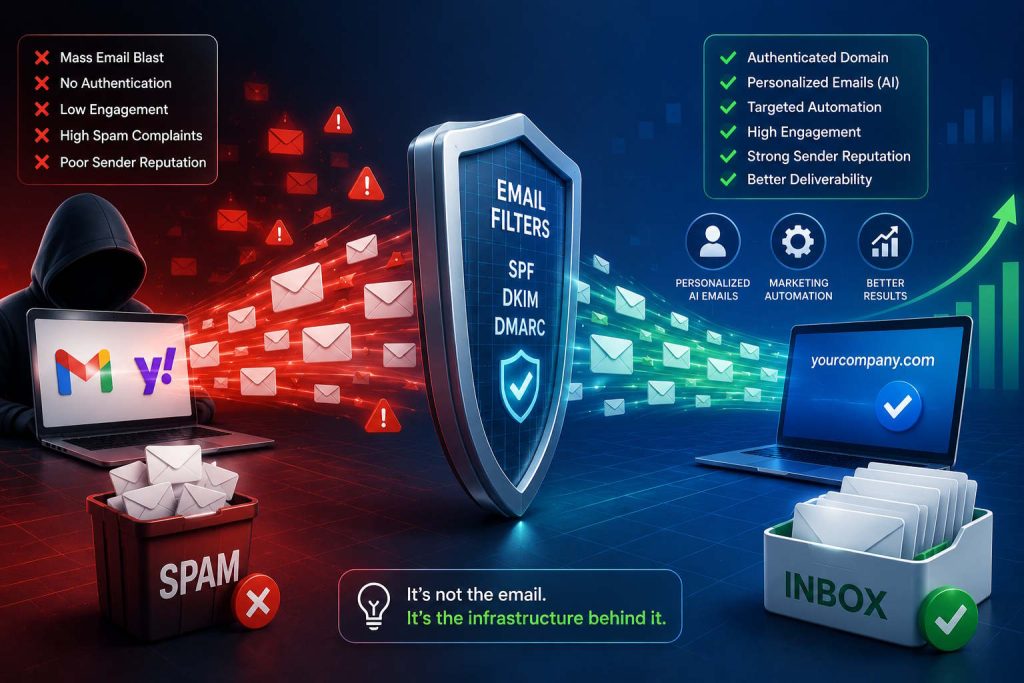
In real-world email systems
In real-world email systems, sending the exact same message dozens or hundreds of times is a major spam signal.
When an identical email is sent to 30+ recipients, mailbox providers such as Gmail and Yahoo often classify it as a promotional or bulk email. As sending volume increases beyond 100 recipients, the likelihood of spam filtering rises significantly, especially if engagement is low.
Additionally, if recipients begin marking the email as spam, mailbox providers may lower the sender’s reputation. As a result, future emails from the same sender – or even the same domain – can be routed directly to spam folders, reducing deliverability for all recipients.
This is why modern businesses use marketing automation and AI-powered personalization to generate tailored messages for each customer instead of sending identical email blasts to everyone at once.
Why SPF and DKIM Are Critical for Email Deliverability
One of the biggest reasons emails land in spam folders is missing or incorrect email authentication.
SPF (Sender Policy Framework)
SPF tells receiving mail servers which systems are authorized to send email on behalf of your domain.
Without SPF:
- Receiving servers cannot verify the sender
- Emails appear less trustworthy
- Spam filtering increases
DKIM (DomainKeys Identified Mail)
DKIM adds a cryptographic signature to every email.
This signature proves:
- The email was sent by an authorized source
- The message has not been altered during transmission
Without DKIM:
- Email authenticity becomes harder to verify
- Spam filters become more aggressive
DMARC (Domain-based Message Authentication, Reporting & Conformance)
DMARC works alongside SPF and DKIM.
It tells receiving servers:
- How to handle authentication failures
- Whether to quarantine or reject suspicious emails
- How to report authentication issues
Today, SPF, DKIM, and DMARC are no longer optional for businesses that rely on email marketing or sales outreach.
Example: The Same Email, Different Results
Imagine two companies sending the exact same promotional email.
Company A
Uses:
Sends:
- 2,000 emails in one day
- No custom domain
- No SPF configuration
- No DKIM authentication
- No unsubscribe link
- No sender reputation management
Result:
- High spam placement
- Low inbox delivery
- Open rate below industry averages
- Increased risk of account restrictions
Company B
Uses:
Connected to a professional outreach platform with:
- SPF configured
- DKIM configured
- DMARC implemented
- Domain warming
- Bounce management
- Automated unsubscribe handling
Result:
- Higher inbox placement
- Better open rates
- More replies
- Stronger sender reputation
The email content is identical.
The difference is the sending infrastructure.
How Spam Filters Evaluate Your Emails
Modern spam filters use hundreds of signals to determine whether an email belongs in the inbox or spam folder.
1. Sender Reputation
Email providers continuously evaluate sender behavior.
They monitor:
- Open rates
- Reply rates
- Click-through rates
- Spam complaints
- Bounce rates
Poor engagement damages sender reputation and reduces future deliverability.
2. Domain Authentication
Authentication proves that you are authorized to send email from your domain.
The three essential technologies are:
- SPF
- DKIM
- DMARC
Missing authentication is one of the fastest ways to trigger spam filtering.
3. Sending Patterns
Suddenly sending thousands of emails from a new account raises immediate red flags.
Professional senders build trust gradually through:
- Consistent sending volumes
- Predictable schedules
- Positive engagement
This process is commonly known as domain warming.
4. Recipient Behavior
Mailbox providers closely monitor recipient actions.
Positive signals include:
- Opening emails
- Replying
- Forwarding messages
- Moving emails into the inbox
Negative signals include:
- Marking emails as spam
- Deleting emails without reading
- Blocking the sender
The more positive engagement your emails generate, the better your future deliverability becomes.
Why Cold Email Outreach Is Especially Vulnerable
Cold email campaigns target recipients who may have never interacted with your company before.
Because recipients don’t recognize the sender:
- Open rates are often lower
- Spam complaints can be higher
- Trust signals are weaker
Sending cold outreach from Gmail or Yahoo significantly increases spam risk because mailbox providers expect personal accounts to communicate primarily with known contacts.
For cold outreach, using a properly authenticated business domain is essential.
Why Mass Email Blasts Are Becoming Less Effective
Many businesses still rely on sending one generic email to thousands of recipients simultaneously.
This approach creates several problems:
- Lower engagement
- Higher unsubscribe rates
- Increased spam complaints
- Poor sender reputation
- Reduced inbox placement
Modern spam filters can easily identify large-scale email blasts that contain nearly identical content.
The result is often lower deliverability and fewer conversions.
Why Marketing Automation and AI-Personalized Emails Perform Better
Instead of bombarding customers with the same message all at once, successful businesses use marketing automation and AI-generated personalized emails.
Traditional Email Blast
A company sends:
“Hello, check out our software and schedule a demo.”
The same email goes to:
- New leads
- Existing customers
- Decision-makers
- Technical users
- Inactive prospects
Result:
- Low relevance
- Low engagement
- Higher spam risk
AI-Powered Personalized Outreach
Marketing automation platforms can generate tailored emails based on customer behavior and CRM data.
Examples:
For a prospect who visited the pricing page:
“Hi Sarah, we noticed you recently reviewed our pricing plans. Here’s a comparison of the package most companies in your industry choose.”
For an existing customer:
“Hi David, based on your current usage, we’ve identified several advanced features that could help your team save additional time.”
For an inactive lead:
“Hi Michael, since your last visit we’ve released several new features that may be relevant to your business goals.”
Result:
- Higher relevance
- Better engagement
- More replies
- Improved deliverability
- Increased conversions
Better Engagement Improves Inbox Placement
Email providers reward senders whose emails generate positive engagement.
When recipients:
- Open emails
- Reply to messages
- Click links
- Forward content
Mailbox providers interpret these actions as indicators of valuable communication.
This improves sender reputation and increases the likelihood that future emails reach the inbox.
AI-powered personalization and marketing automation help create these positive engagement signals naturally.
The Business Risks of Using Personal Email Accounts for Bulk Sending
Many organizations underestimate the long-term consequences.
Account Restrictions or Suspension
Google and Yahoo may temporarily or permanently restrict accounts that violate sending policies or exceed acceptable usage patterns.
Damaged Sender Reputation
Recovering from a poor sender reputation can take months.
Lost Revenue Opportunities
If prospects never receive your emails, sales opportunities disappear.
Reduced Brand Credibility
Compare:
Most buyers trust the professional business domain.
Best Practices for Successful Email Deliverability
To maximize inbox placement and improve email marketing performance:
Use a Custom Business Domain
Examples:
Instead of:
Configure SPF, DKIM, and DMARC
These authentication protocols are now essential for email deliverability.
Warm Up New Domains
Gradually increase sending volume to build trust with mailbox providers.
Keep Email Lists Clean
Remove:
- Invalid addresses
- Hard bounces
- Inactive contacts
Use Marketing Automation
Send emails based on customer actions and lifecycle stages rather than blasting everyone at once.
Personalize Content with AI
Tailored emails generate higher engagement and fewer spam complaints.
Monitor Deliverability Metrics
Track:
- Open rates
- Reply rates
- Bounce rates
- Spam complaints
- Unsubscribe rates
How BROSH CRM Helps Improve Email Deliverability
BROSH CRM helps businesses move beyond risky mass-email practices by providing a professional outreach environment built for modern deliverability standards.
With BROSH CRM, teams can:
- Manage outreach from authenticated business domains
- Support SPF, DKIM, and DMARC best practices
- Automate personalized email sequences
- Generate AI-powered customer-specific content
- Segment audiences automatically
- Trigger emails based on customer behavior
- Monitor engagement metrics
- Improve sender reputation over time
- Reduce spam complaints through better targeting
- Scale communication while maintaining compliance
Instead of relying on personal Gmail or Yahoo accounts, businesses can build a sustainable outreach strategy that supports long-term growth.
Frequently Asked Questions
Can I send marketing emails from Gmail?
You can send limited emails from Gmail, but Gmail is not designed for large-scale email marketing campaigns. High-volume sending often results in spam placement, throttling, or account restrictions.
Why are my Gmail emails going to spam?
Common causes include missing SPF or DKIM authentication, poor sender reputation, repetitive content, low engagement rates, and excessive sending volume.
Does Google require SPF and DKIM?
Yes. Google’s bulk sender guidelines require senders of 5,000 or more emails per day to Gmail users to authenticate email using SPF or DKIM and publish a DMARC policy.
Is a custom domain better than Gmail for business outreach?
Yes. A custom domain provides greater control over authentication, branding, sender reputation, and email deliverability.
Does AI personalization help avoid spam filters?
Yes. Personalized emails typically generate higher engagement rates, which positively influence sender reputation and improve inbox placement.
Final Thoughts
If your business relies on email marketing, lead generation, sales outreach, or customer engagement, sending mass emails through Gmail or Yahoo is no longer a sustainable strategy.
Google and Yahoo increasingly prioritize authenticated senders, positive engagement signals, and responsible sending practices. Without SPF, DKIM, DMARC, and a professional business domain, even well-written emails may never reach the inbox.
The smarter approach is to combine a properly authenticated domain with marketing automation and AI-powered personalization. Rather than sending thousands of generic emails at once, businesses should deliver relevant messages tailored to each customer’s interests and behavior.
With BROSH CRM, organizations can improve email deliverability, increase engagement, strengthen customer relationships, and generate more revenue through smarter, more personalized communication.